
Phones, televisions and computers already handle a lot of the sound we listen to during the day. You might answer a call, watch a favorite show or listen to music without thinking much about how the sound reaches you.
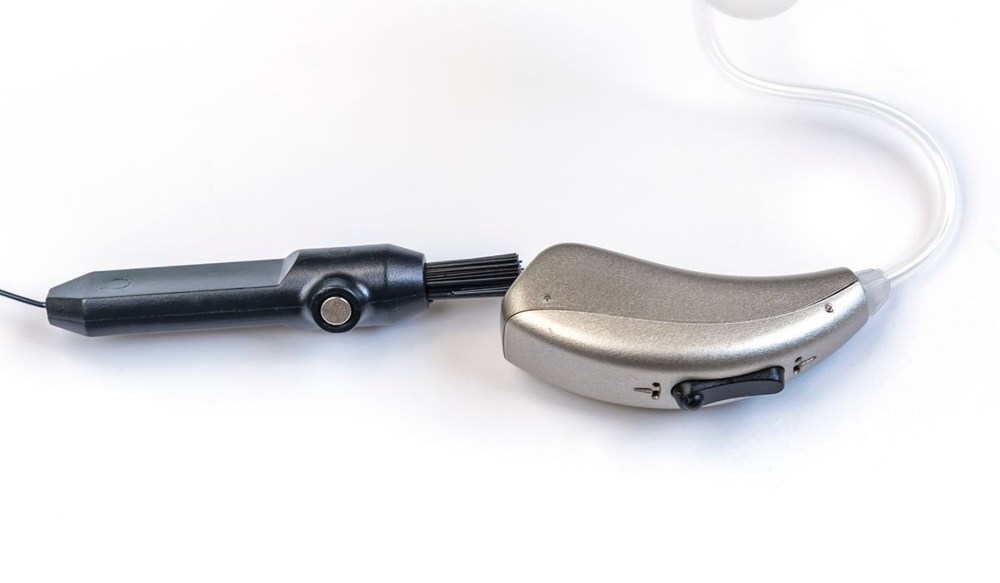
Modern hearing aids can now work directly with many of those devices through Bluetooth.

That changes how your hearing aids fit into activities you’re already doing. As Bluetooth becomes more common in hearing aids, there’s more to consider about how the technology works when you’re wearing them.

What Are Bluetooth Hearing Aids?

Bluetooth hearing aids use a short-range wireless signal to exchange audio and control data with compatible electronics nearby. Once paired, the devices remember each other, so you usually don’t have to repeat the setup every time you use them.

Bluetooth may also let you change volume, switch programs or check battery status from a phone app. Some hearing aids support hands-free calling, which uses the hearing aid microphones to pick up your voice during a conversation.

The exact functions depend on the hearing aids and the device being used, since Bluetooth support isn’t identical across brands and models.

Types of Bluetooth Technology in Today Hearing Aids

Bluetooth technology in hearing aids can be grouped by what the wireless connection is built to handle. These approaches differ in how they transmit sound and communicate with other electronics.

The main types include:

    • Audio streaming technology sends sound wirelessly from another device to the hearing aids.
    • Low-energy technology is designed to exchange wireless data while drawing less power from the hearing aid battery.
    • Broadcast technology sends one audio signal that multiple compatible hearing devices can receive at the same time.
    • Two-way Bluetooth technology supports communication in both directions, which is used for functions like hands-free phone calls.
    • Control-based connections exchange commands and device data rather than carrying the audio you’re listening to.

Devices You Can Connect to Your Hearing Aids

Tablets and computers may work in a similar way when they’re compatible. Television audio may require an extra accessory that sends sound to your hearing aids while everyone else listens at their preferred volume.

Wireless microphones work differently by picking up a speaker’s voice nearby and sending it to your devices. Which connections are available will depend on your hearing aids and the equipment you want to use with them.

Customizing Sound for Different Places

A restaurant may call for different hearing aid settings than your living room or a meeting at work.

Many Bluetooth hearing aids let you save adjustments for places you visit regularly, so you don’t have to change the same settings each time. You might lower background sound in one program or change the microphone direction in another.

Some apps can remember adjustments you’ve made and apply them again when you return to that location. These saved settings let you keep several listening preferences available without changing the main programming your audiologist created

Benefits of Streaming Sound Straight to Your Hearing Aids

Streaming changes the path audio takes before you hear it. Instead of picking up a device speaker through the microphones, the signal is delivered electronically to the hearing aids.

This avoids some of the sound changes that happen as audio travels across a room and mixes with surrounding noise.

You can also set streamed audio separately from sounds picked up by the microphones on many models. During a call or television program, that balance lets you decide how much of the room you want to hear alongside the streamed sound.

Tips for Keeping Your Bluetooth Connection Stable

Bluetooth works within a limited range, so keep your phone nearby while streaming or making calls through your hearing aids.

Walls, crowded wireless networks and other electronics may interfere with the signal in certain places. Check that your hearing aids have enough battery power before streaming for long periods, since wireless features use additional power.

Software updates for your phone, hearing aids and hearing aid app may include changes to Bluetooth performance. When the connection drops, reconnect your devices through the app or Bluetooth settings before removing and pairing them again.

Smart Questions to Ask About Bluetooth Hearing Aid Options

Before choosing hearing aids with Bluetooth, ask how the wireless features will work with the electronics you use. A few specific questions can cover details that aren’t always apparent from the device specifications.

You could ask:

  • Will these hearing aids pair with my current phone?
  • Can phone calls play through both hearing aids?
  • Will I need another device to stream sound from my television?
  • How many devices can I pair with the hearing aids?
  • What happens when I switch from my phone to another paired device?
  • Can I change the volume of streamed audio separately?
  • Which Bluetooth controls are available in the hearing aid app?
  • How does frequent streaming change battery use?

Choosing Bluetooth Hearing Aids That Support Your Day

Bluetooth becomes more familiar once you begin using it with your hearing aids. You may stream often, adjust settings from your phone or use only a few wireless features.

What you use will depend on your devices and routine. An audiologist can show you how Bluetooth works with the hearing aids you’re considering.

You can also practice pairing your phone during the appointment. If you aren’t sure if Bluetooth hearing aids are right for you schedule an appointment with an audiologist.